The most important features in common web browsers
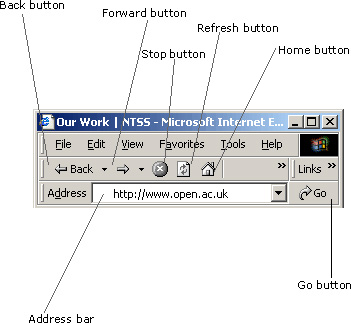
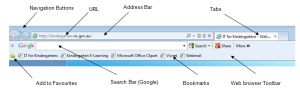
Search Bar
Depending on the browser in use, a search bar can either be built into the URI bar or a separate search bar. These search bars are usually linked to a specific search engine and allow a user to type in alphanumeric content to search for information without having to go directly to a search engine’s home page.
Go Back
This button allows the user to return to the previous webpage. Some browsers will also have an arrow next to this button that brings up a menu, showing you several previous pages and allowing you to go back to one of those pages more quickly. The button is typically represented as an arrow pointing left.
Refresh
This button will reload the entire webpage when clicked. This can be useful if the page didn’t load correctly or if new content has been added and you want to view it.
Settings
A menu system that allows the user to configure the browser to perform to their requirements. In the settings a user can specify the homepage, change cookie settings, change history settings etc. This button is typically represented as three horizontal lines on top of one another.







Publicar comentario