Computer issues and how to fix it
When we install a huge amount of application in our computer its start to go slow and sometimes it block and we lost a lot of time restarting it. This issue is typically happens in old computers or in computers with leak of memory ram.
we can fix our computer just uninstall applications that we not use any more. To achieve this we have to go to Control Panel and select Programs and Features, if you don’t know where it is follow this steps:
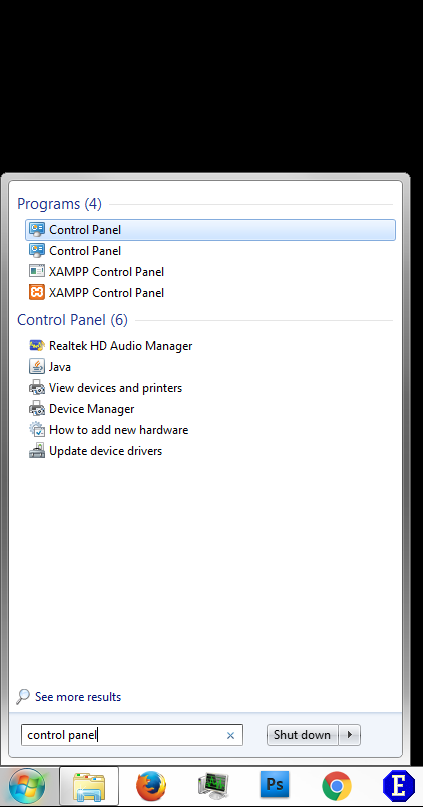
Step 1: In the search box on the taskbar, type control panel, and then select Control Panel.
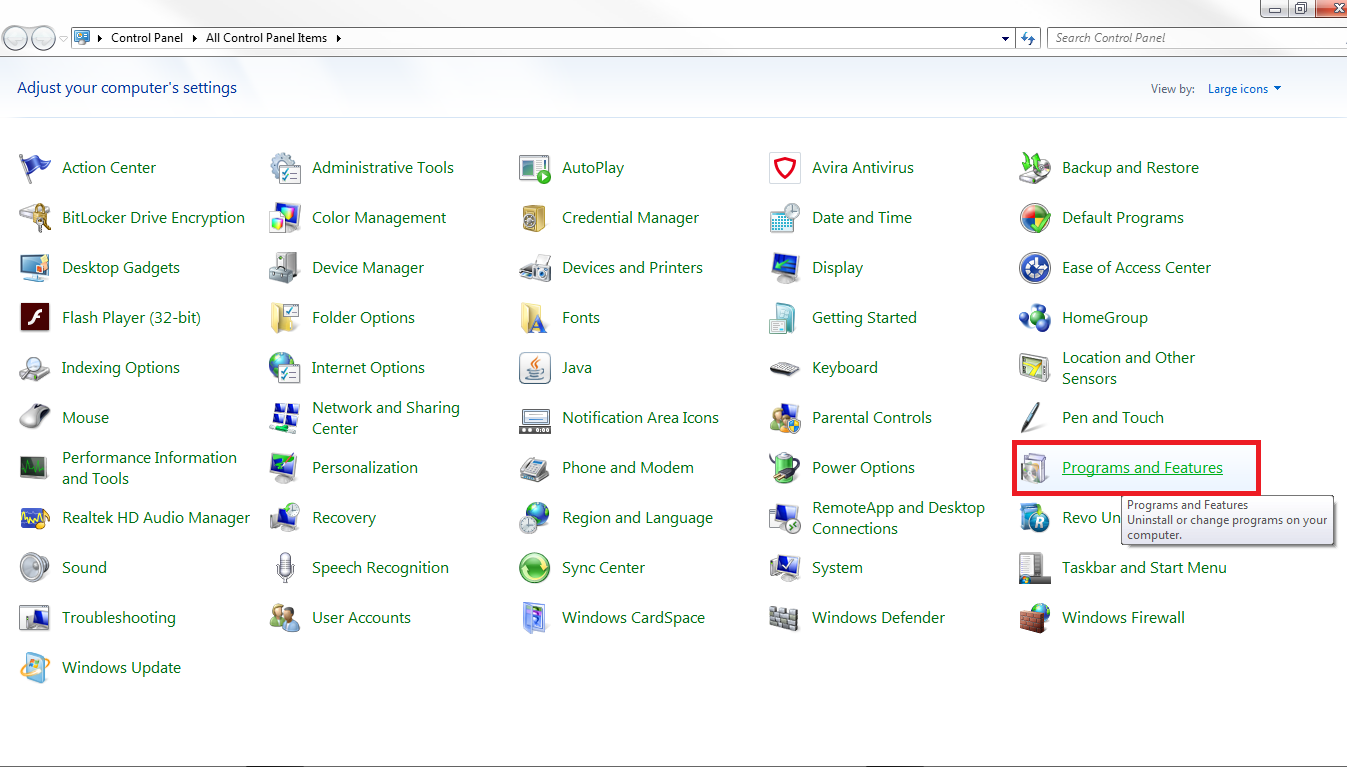
Step 2: Search the icon with a title Programs and Features and click over the link.
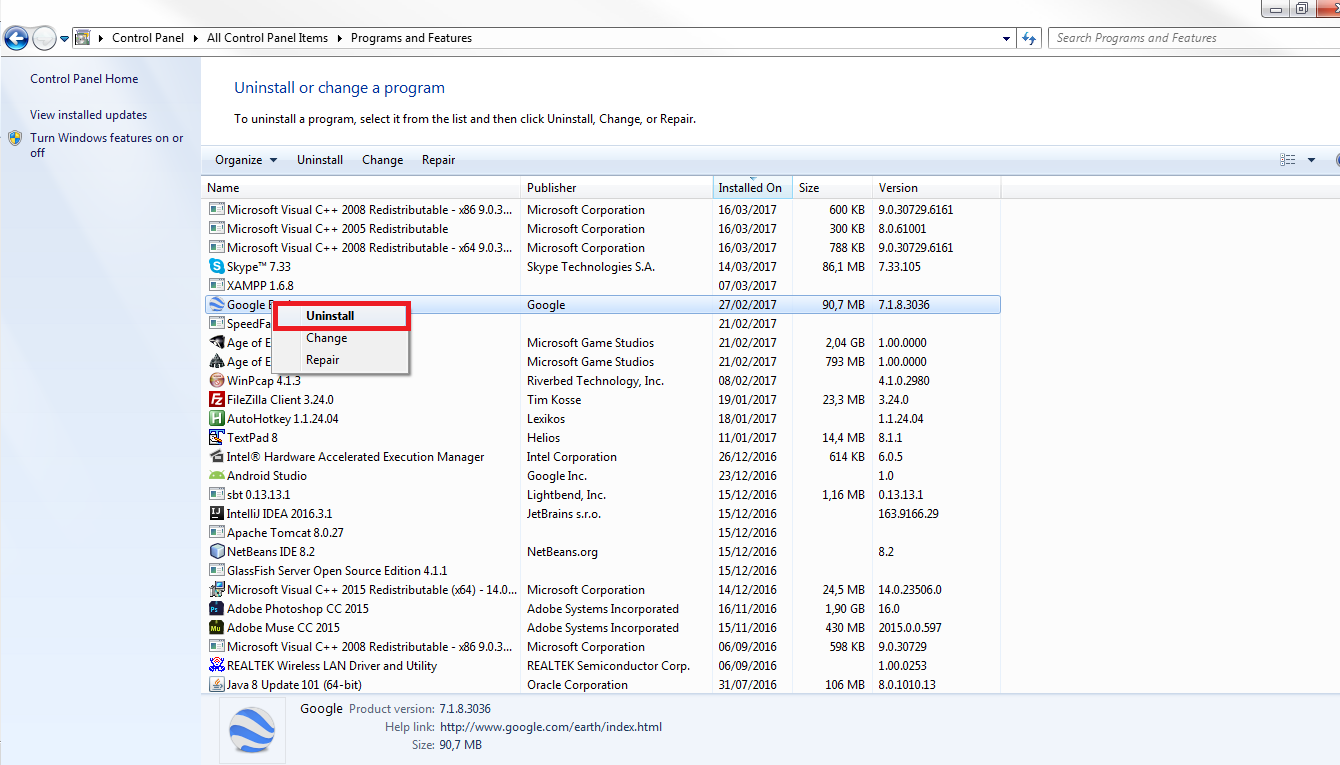
In this windows we can uninstall all that applications that we don’t use, this window show a table with the applications name, developer, date of installed, size of it, and version. Just pressing the button of the date of installed we sort the applications by date and we can uninstall the most old ones. to uninstall one application just select that application and click with the right button of the mouse, it will appear a small menu, we have to chose Uninstall Application then you have to confirm that you want to delete it.
After uninstall all that applications that we never use is good restart the computer.








Publicar comentario